Tutorial
Last updated: 2026-01-31
1. Prepare metafield definitions (optional)
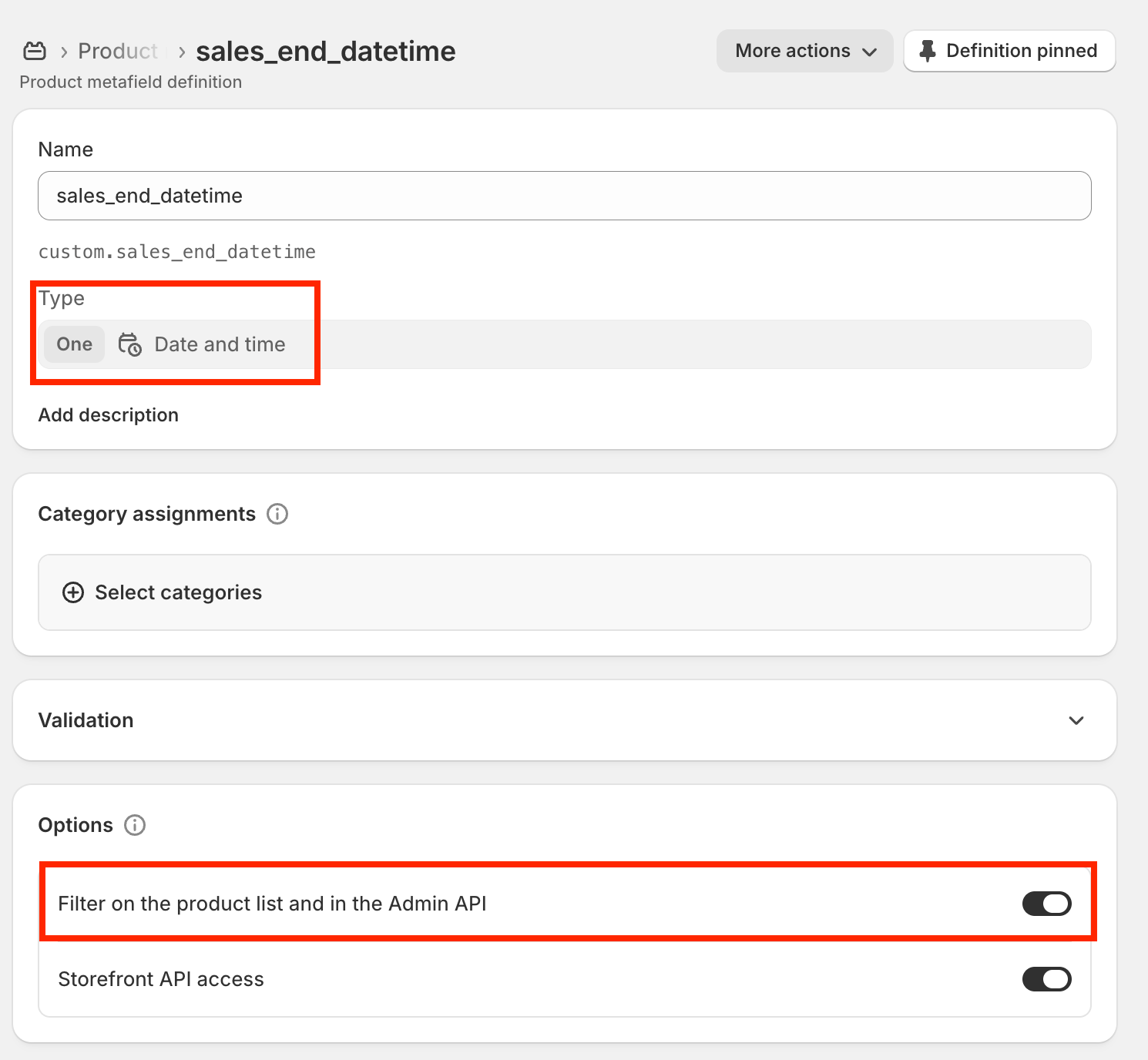
If you already have a suitable metafield definition, you can use it. Make sure the existing definition has "Filter on the product list and in the Admin API" enabled. Shopify may take up to about a minute to reflect newly created or updated metafield definitions in the Admin API. If the app does not detect the definition immediately, wait a moment and reload the app. Otherwise, create a product metafield definition in your Shopify admin:
- Type: date or date_time
- Enable "Filter on the product list and in the Admin API"
2. Add metafield values to products
Set the date or datetime when you want the product status to change.
3. Configure the App
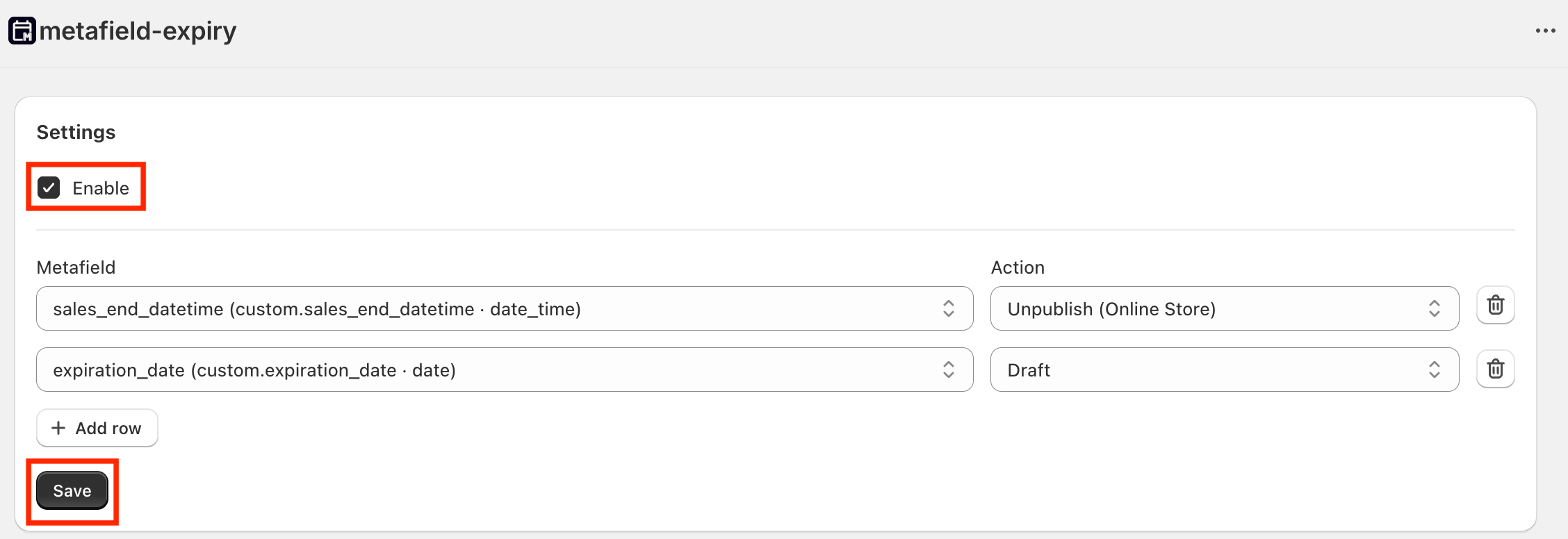
Open the App and add rules:
- Enable the App
- Select the metafield
- Choose an action (Unpublish, Draft, Archive)
- Save settings (settings are not applied until you click Save)
If you changed your store timezone recently, wait a few minutes and save the settings again so the App uses the updated timezone.
4. Check impact count (optional)
Use Check impact count to see how many products are candidates.

5. Verify execution (optional)
Products should update within 1 hour after the configured time.
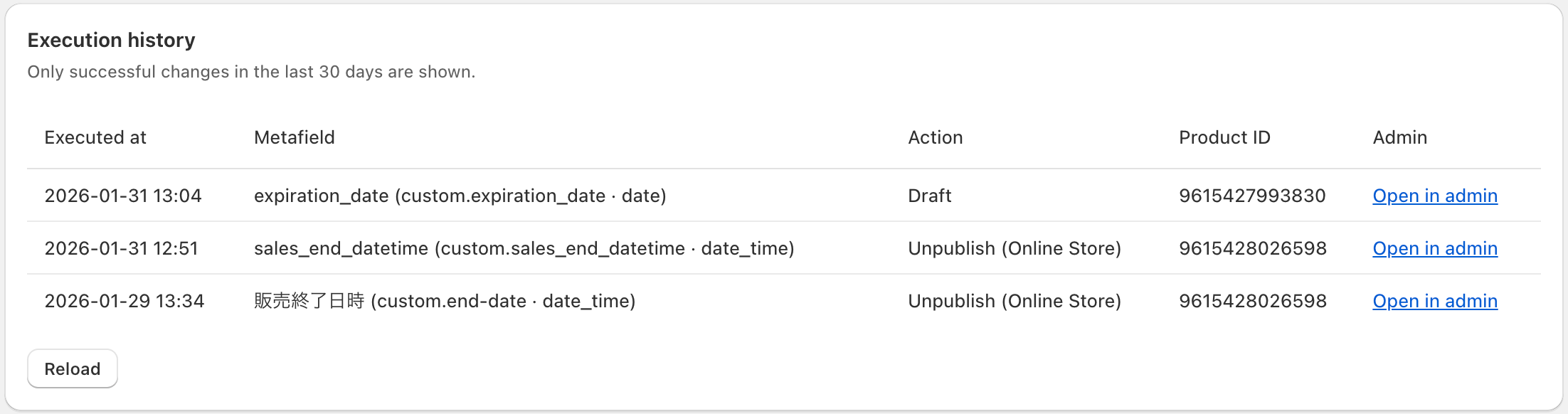
You can also confirm changes in the execution history.